
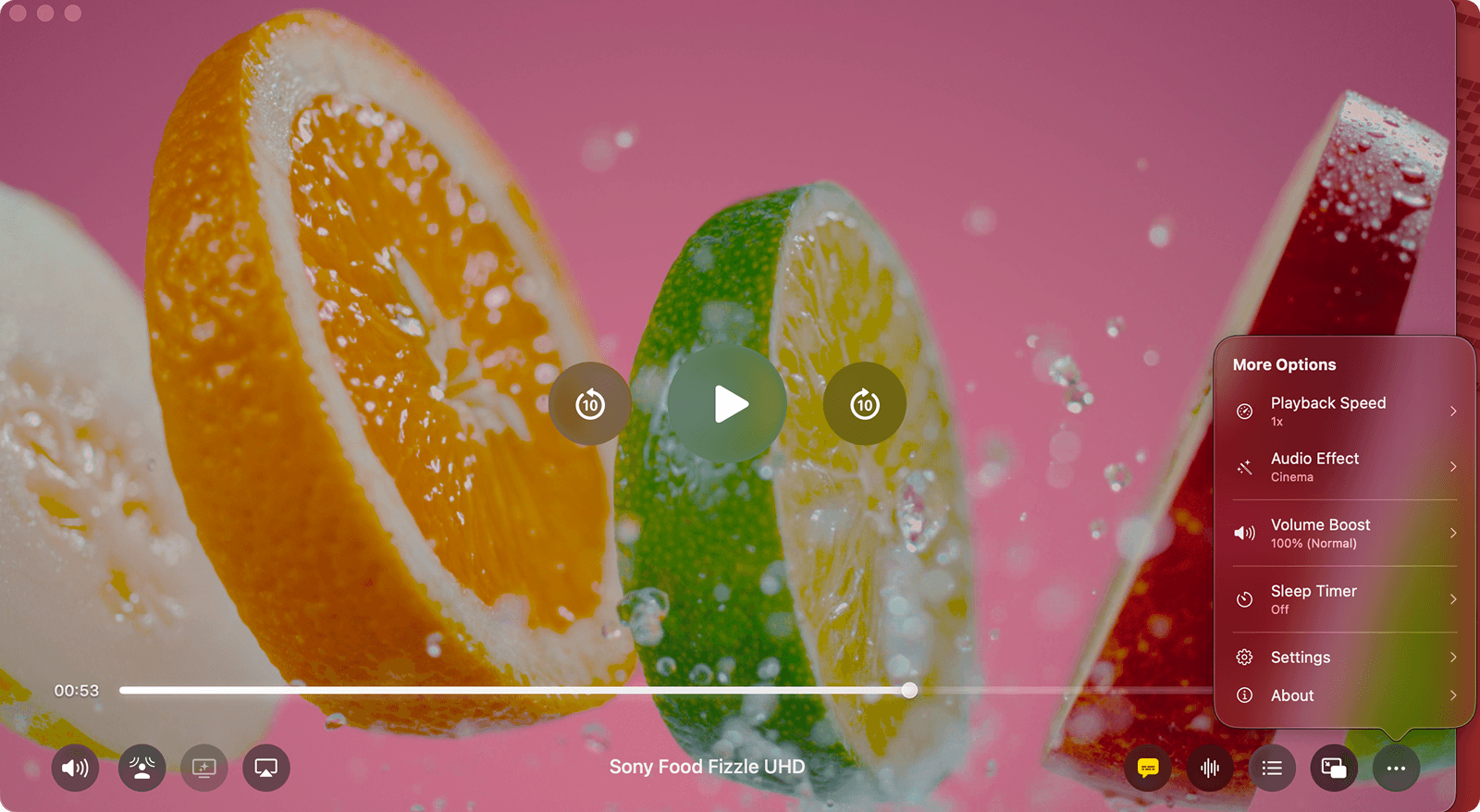

When we talk about video players, we almost always talk about pixels. Is it 4K? Is it HDR? Is the color accurate?
But as any movie lover knows, video is only half the experience. The other half is audio.
Most video players treat audio as an afterthought. They give you a volume slider, maybe a basic equalizer if you're lucky, and that's it. If the dialogue is too quiet or the explosions are flat, you're out of luck.
With Vidi, I wanted to change that. I spent months engineering an Immersive Audio Suite that treats sound with the same respect as the video.
Here is a deep dive into the audio engine that makes Vidi sound unlike any other player on the Mac.
1. Spatial Audio: 3D Immersion Everywhere
We wanted to bring the theater experience to your headphones, regardless of what brand you own.
Spatial Audio in Vidi creates an immersive, 3D soundstage on any pair of headphones. Vidi processes the audio signals to simulate direction and depth.
Works with everything: It enhances any video file, from standard stereo clips to full movies.
Best with Surround: While it works with any content, the effect is most powerful with 5.1 surround sound or higher, allowing Vidi to accurately place sound objects around you for a truly immersive experience.
How it feels: Sounds move around you as they do in real life, rather than just playing inside your head.
2. Cinema Effect: The Theater Experience
Whether you are using your Mac's built-in speakers, external monitors, or a pair of headphones, audio can often feel flat. Standard audio output often lacks the deep, resonant "punch" you feel in a movie theater.
Cinema Effect is a psychoacoustic processor designed to fix this. It enhances the lower-mid frequencies and adds "presence" to the soundstage.
- How it feels: It adds a layer of "warmth" and weight to the sound. Explosions feel guttural and engines roar, making your headphones or speakers feel significantly more powerful.
3. Dynamic Sound: The Smart Engineer
For the ultimate "set it and forget it" experience, we built Dynamic Sound.
This feature analyzes the audio content in real-time. It detects whether you're watching a dialogue-heavy drama, a chaotic action scene, or a musical performance. It then subtly adjusts the EQ curve on the fly to optimize the listening experience for that specific moment.
- How it feels: You don't notice it working; you just notice that everything sounds "right."
4. Voice Boost: The Dialogue Fixer
We’ve all struggled with "Christopher Nolan Syndrome"—movies where the music and sound effects are deafening, but the dialogue is a whisper.
Voice Boost is our solution. Unlike a simple volume hike, Voice Boost uses an intelligent filter to identify the specific frequencies of human speech. It isolates them and brings them forward in the mix, while gently compressing the loudest background noises.
- How it feels: It’s like the actors stepped closer to the microphone. You hear every whisper without blowing out your eardrums (or waking up the neighbors) during the gunfights.
5. Volume Boost: Go Beyond 100%
Sometimes, a video file is just encoded too quietly. Even at max volume, you can barely hear it.
Vidi’s Volume Boost lets you push the output up to 400% (4x). Unlike other players that simply clip the audio (causing that horrible crackling distortion), Vidi uses intelligent audio processing to boost the volume while keeping the audio as clean as possible.
Hearing is Believing
You don't need a surround sound system to appreciate great audio. You just need a player that knows how to process it.
The Immersive Audio Suite is a core part of Vidi Pro. All new users get a 14-day free trial of Vidi Pro. You can download the app, start a movie, and toggle these features on and off to hear the difference for yourself.