
Blog
Stay updated with the latest news, features, and insights about Vidi
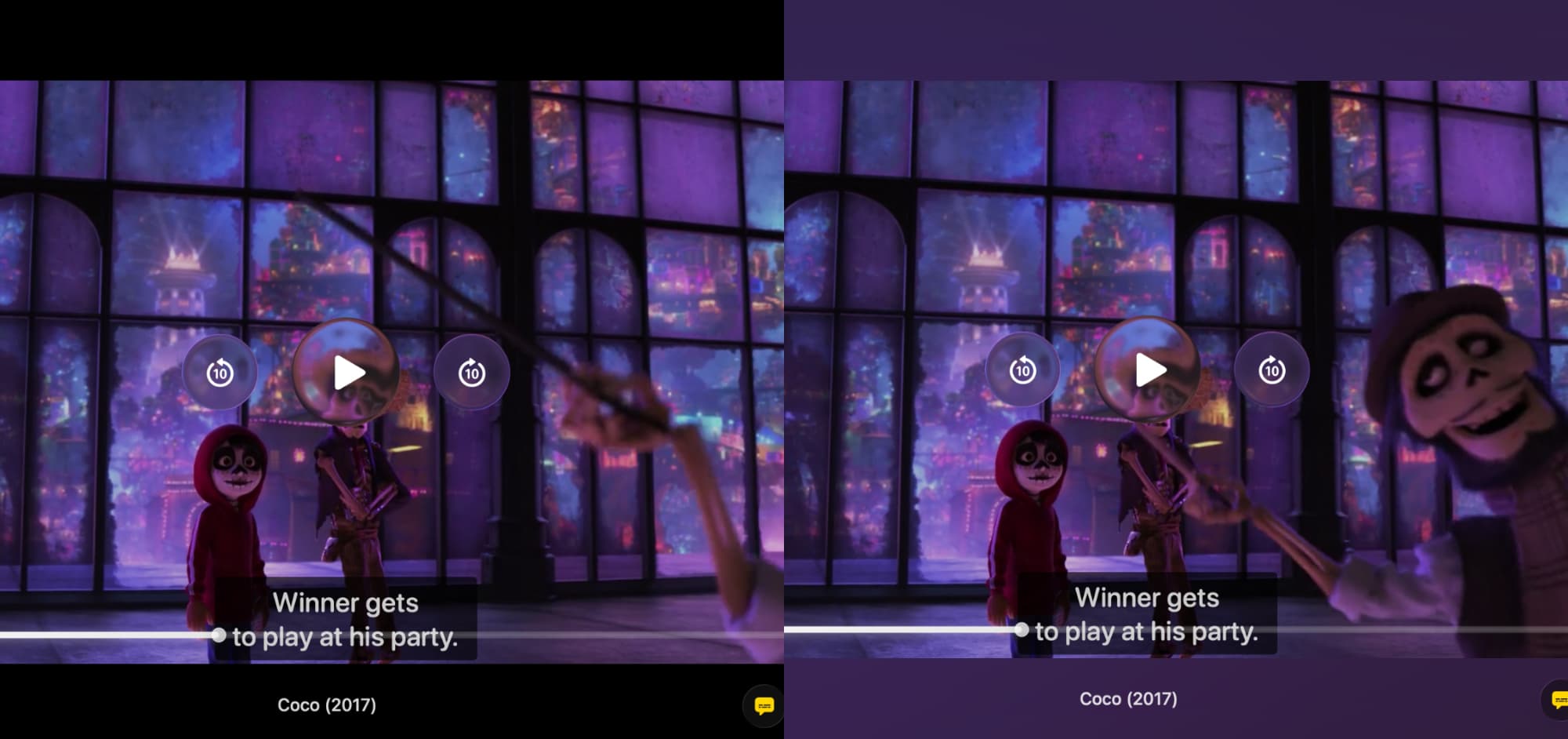
Beyond the Screen: How Vidi's Ambient Mode Makes Movies More Immersive
When you watch a widescreen movie on your Mac, you almost always see black bars on the top and bottom. This "letterboxing" is standard, but it means a good portion of your screen is just dead, black space. Vidi’s Ambient Mode transforms that space. I...

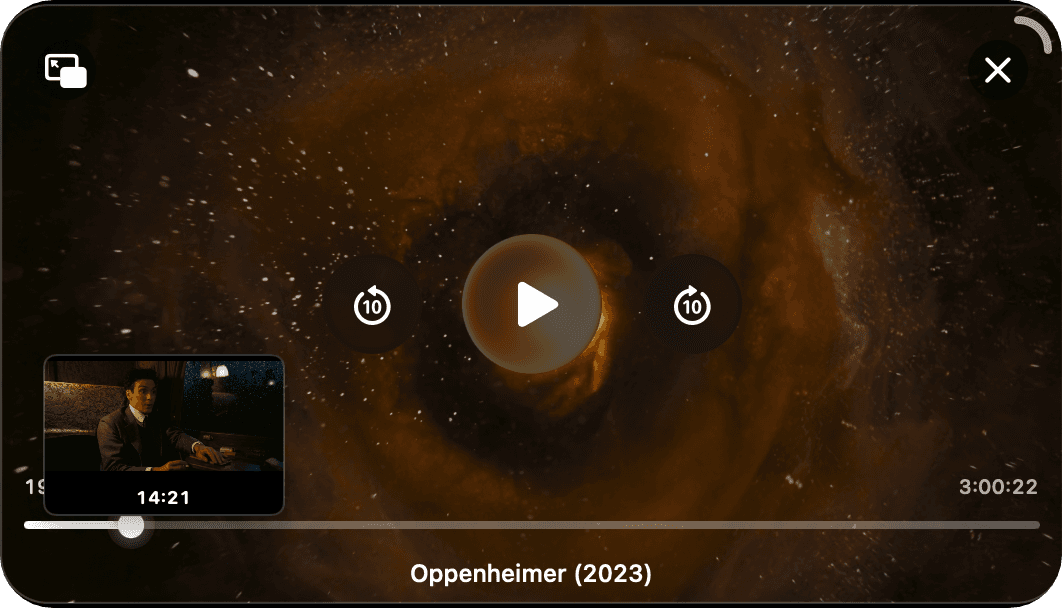
Why We Built the Advanced PiP We Always Wanted
This was the feature that started it all. Before Vidi, I was a heavy user of other Mac video players. I’m a developer, which means I spend most of my day with a code editor on one side of the screen and a video playing in Picture-in-Picture (PiP) on ...
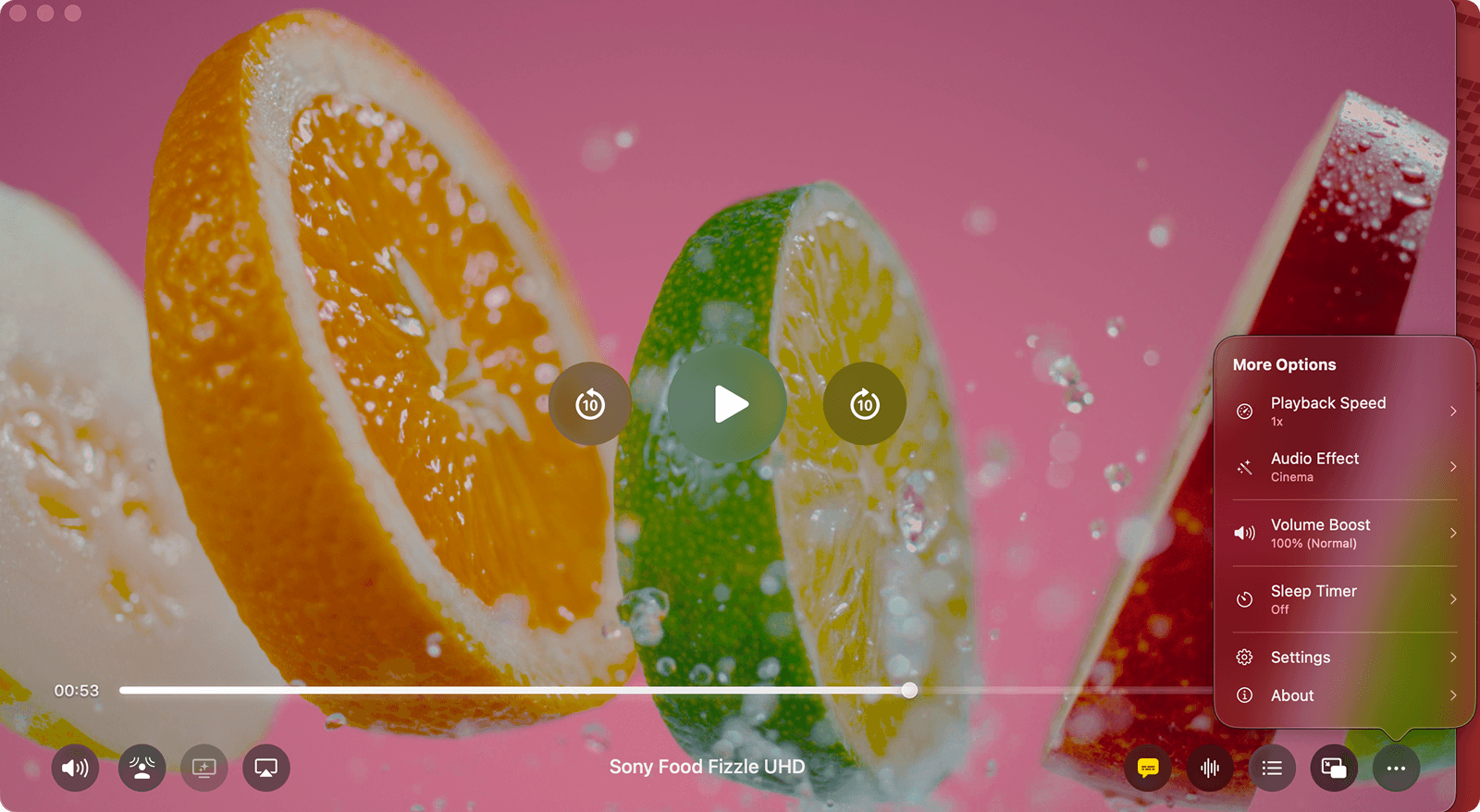
A Deep Dive into Vidi’s Immersive Audio Suite (Spatial, Cinema & Voice Boost)
When we talk about video players, we almost always talk about pixels. Is it 4K? Is it HDR? Is the color accurate? But as any movie lover knows, video is only half the experience. The other half is audio. Most video players treat audio as an afterthou...

How to Fix Muffled Dialogue: The Best Way to Boost Movie Dialogue on a Mac
We've all been there. It's late, you're trying to watch the latest blockbuster, and you can't understand what the actors are saying. The action scenes are deafening. The explosions shake the room. You dive for the remote to turn the volume down. A se...

The Ultimate Guide: How to Play Any Video File (MKV, AVI, WebM) on a Mac
You double-click a video file someone sent you. It's an .mkv, an .avi, or a .webm. Instead of your video playing, you get the same frustrating error: "The file ... is not compatible with QuickTime Player." We've all been there. We love our Macs for t...
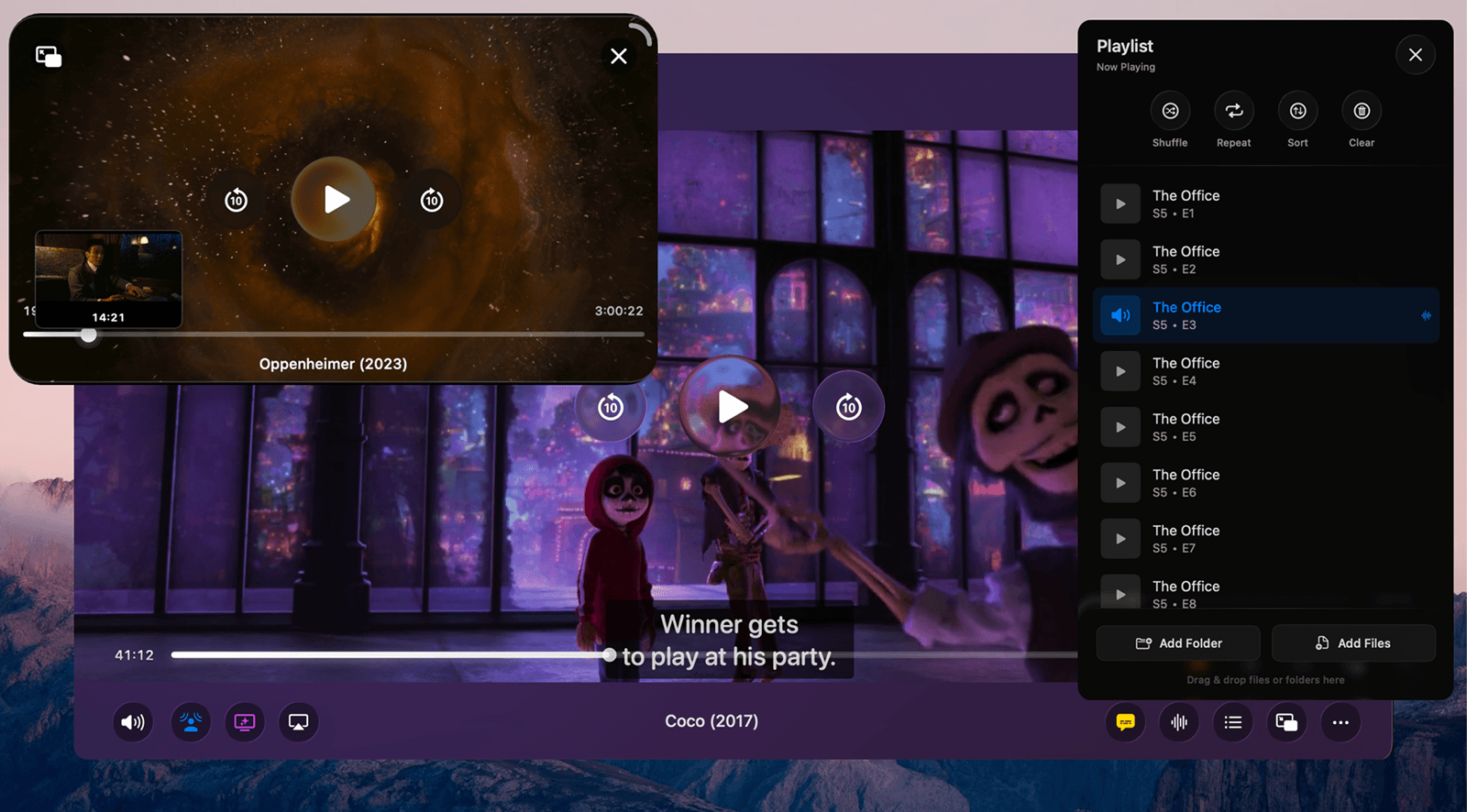
Introducing Vidi: A Modern, Powerful, and Efficient Video Player for Mac.
For years, my go-to video player was IINA. It played most things, and it mostly worked. But as someone who uses Picture-in-Picture (PiP) constantly while working, one tiny frustration grew into a deal-breaker. IINA's PiP is just a box. It only has "p...