
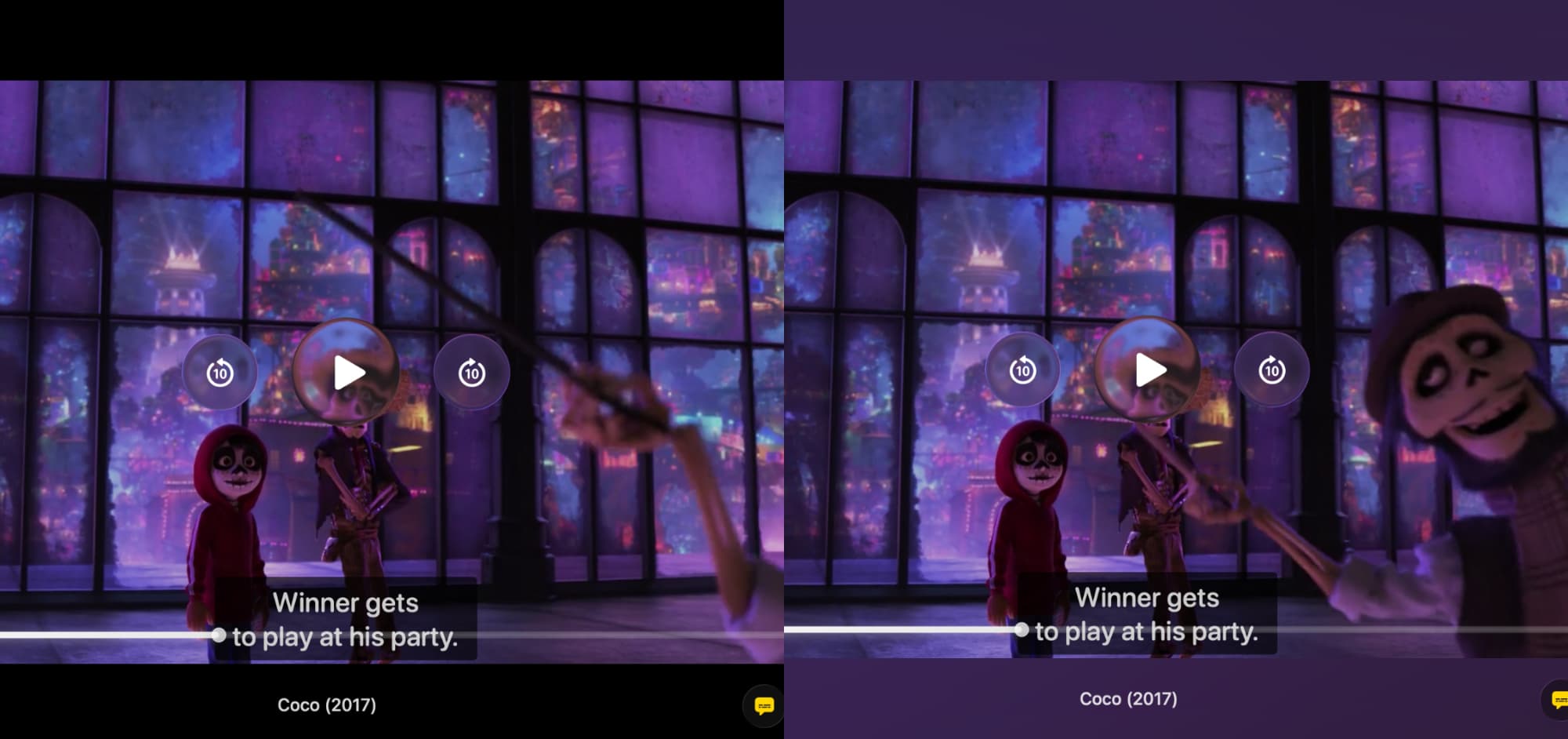

When you watch a widescreen movie on your Mac, you almost always see black bars on the top and bottom. This "letterboxing" is standard, but it means a good portion of your screen is just dead, black space.
Vidi’s Ambient Mode transforms that space.
Instead of framing your movie in darkness, Vidi analyzes the colors of the scene in real-time and converts those black borders into a dynamic, matching glow.
If you’re watching a sunset, the borders fade into a warm orange. If you’re watching the ocean, they turn a deep blue. It’s a simple change that makes the video feel less like a file in a box and more like a part of your room.
Here is why this visual upgrade changes the experience.
1. Deep Immersion (The "Ambilight" Effect)
By extending the colors of the video into the black borders, Ambient Mode tricks your brain. It softens the hard edges of the video content, making the image feel larger than it actually is.
The action doesn't stop at the video frame. It bleeds out into the surrounding space, pulling you deeper into the movie.
2. Reduced Eye Strain (Bias Lighting)
There is actual science behind this. When you watch a bright screen in a pitch-black room, your pupils constantly dilate and contract as scenes switch from dark to light. This causes eye fatigue.
Ambient Mode acts as "dynamic bias lighting." By raising the light level around the active video to match the content, it reduces the harsh contrast between the bright image and the dark border. Your eyes can relax, allowing you to watch longer without that "tired eye" feeling.
Experience the Glow
Ambient Mode is a feature you really have to see to appreciate. Static screenshots don't do it justice, you need to see how the light reacts instantly to explosions, scene changes, and camera movements.
Ambient Mode is a signature feature of Vidi Pro.
All new users get a 14-day free trial. Download Vidi, turn on Ambient Mode, dim the lights, and experience your favorite movie in a whole new way.